Menu QR Codes: The Complete Guide for Restaurants, Cafes & Food Businesses in 2026
In 2026, menu QR codes have evolved from a pandemic necessity into essential infrastructure for restaurants, cafes, food trucks, and hospitality businesses worldwide. A digital menu QR code does more than list your dishes—it delivers a branded mobile experience, supports contactless ordering, accepts direct UPI payments, and updates in real time without reprinting a single page.
Whether you run a fine-dining restaurant, a neighborhood cafe, a food court stall, or a cloud kitchen, this guide walks you through creating, customizing, and growing with a QR code menu that guests actually enjoy using.
What is a Menu QR Code?
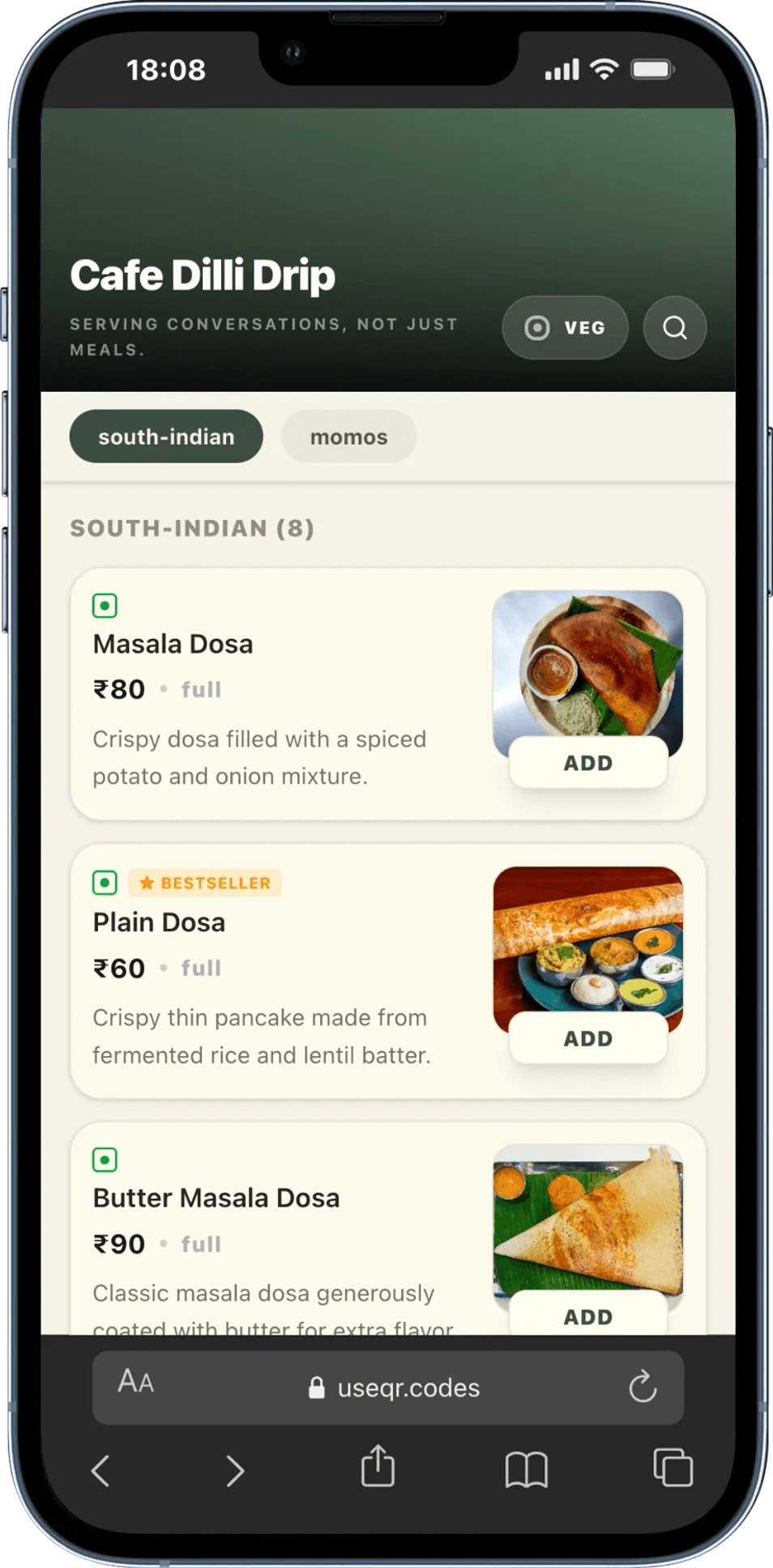
A menu QR code is a scannable code placed on tables, counters, packaging, or signage. When a guest scans it with their phone camera, they land on your live digital menu—not a PDF, not a slow website, but a purpose-built mobile menu designed for browsing and ordering.
Unlike a printed menu, a QR code menu is:
- Contactless: No shared paper menus passed between tables
- Instantly updatable: Change prices, add specials, or mark items sold out in seconds
- Cost-effective: Zero reprint cost every time your menu changes
- Rich media capable: Photos, descriptions, Veg/Non-Veg labels, and bestseller badges
- Analytics-enabled: Track scans, peak hours, and campaign performance
The flow is simple: Print once → Scan anytime → Menu always current. That is the core promise of a dynamic menu QR code.
Why Every Restaurant Needs a Digital Menu QR Code in 2026
Dining habits have permanently shifted. Most guests now expect a fast, visual, mobile-friendly menu—and many prefer paying without waiting for a bill folder. A QR code for food menu meets both expectations while cutting your operational costs.
| Challenge | Traditional Menu | QR Code Menu |
|---|---|---|
| Menu updates | Days to weeks (design + print) | Instant from your dashboard |
| Cost per update | ₹5,000 – ₹50,000+ per print run | ₹0 (unlimited updates) |
| Sold-out items | Manual cross-outs, staff confusion | One-click "Sold Out" toggle |
| Food photos | Expensive print layouts | Unlimited photos per item |
| Payments | Separate POS or cash only | Built-in UPI with 0% platform fees |
| Environmental impact | High paper waste | Near-zero paper for menus |
For a mid-size restaurant updating menus even twice a year, switching to a digital menu QR code often pays for itself within the first month—before you factor in higher order values from better food photography and faster table turns.
What a Great Menu QR Experience Looks Like
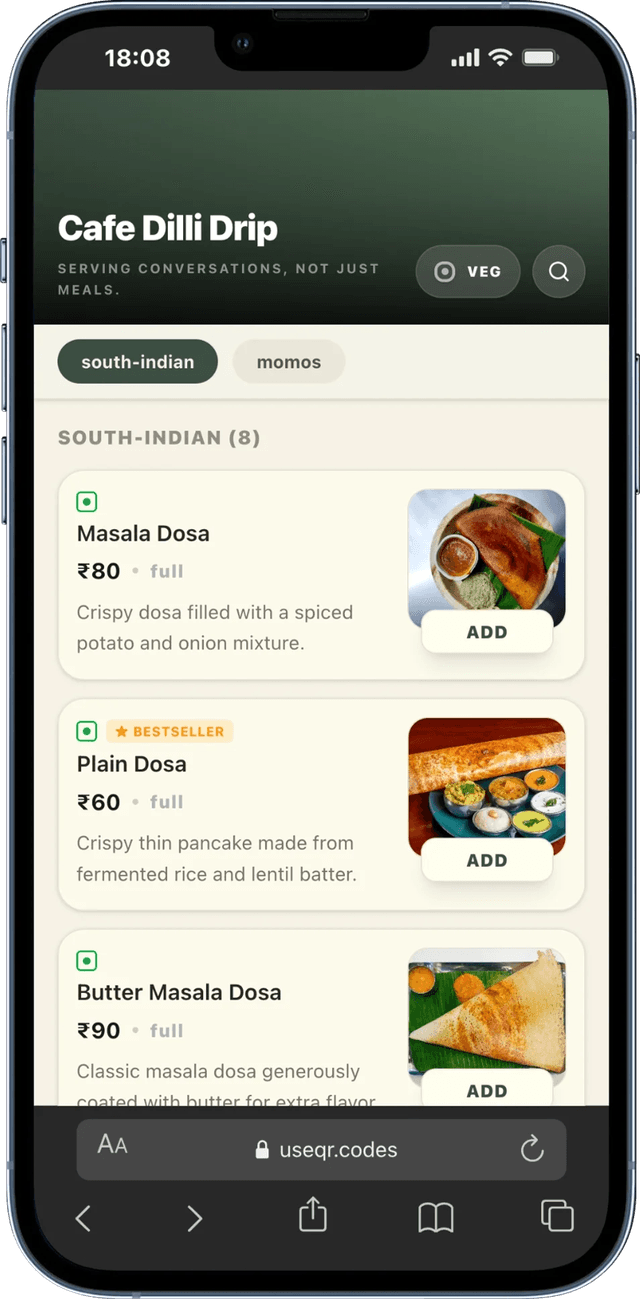
The best restaurant QR code menus feel like a native app, not a clunky PDF zoom. Guests should see your logo and banner, browse by category, filter for Veg options, search dishes, and add items to a cart without friction.
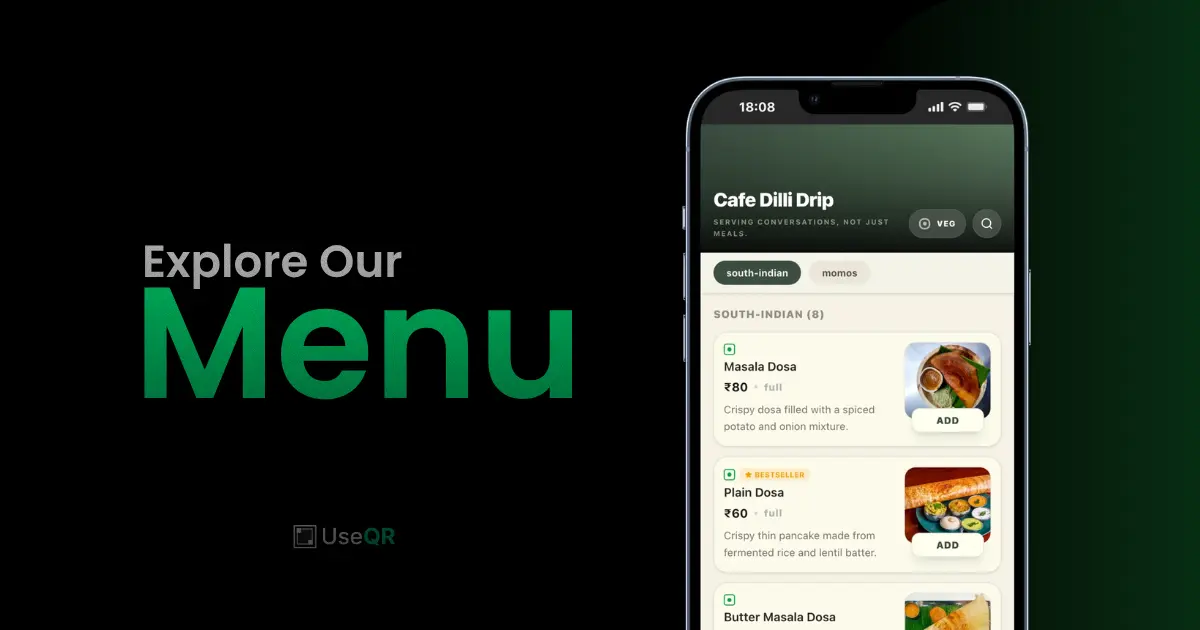
With UseQR's Smart Menu, every scan opens a polished experience: your store branding up top, scrollable categories (like South Indian, Momos, Beverages), dish cards with prices and descriptions, and clear ADD buttons that build an order in real time.
Key Features of a Modern Menu QR Code System
Not every QR code menu generator is built for restaurants. Here is what separates a basic link from a revenue-driving Smart Menu:
1. AI-Powered Menu Creation
Photograph your existing printed menu and let AI extract item names, prices, categories, and descriptions automatically. What used to take hours of manual entry now takes minutes—ideal for busy owners launching before the weekend rush.
2. Beautiful, Mobile-First Design
Your menu is viewed on phones, not desktops. It must load fast, read clearly in bright restaurant lighting, and reflect your brand through themes, logos, and banners. UseQR offers professional themes (modern dark, elegant light, and more) so your menu looks as good as your food.
3. Built-in Ordering & Cart
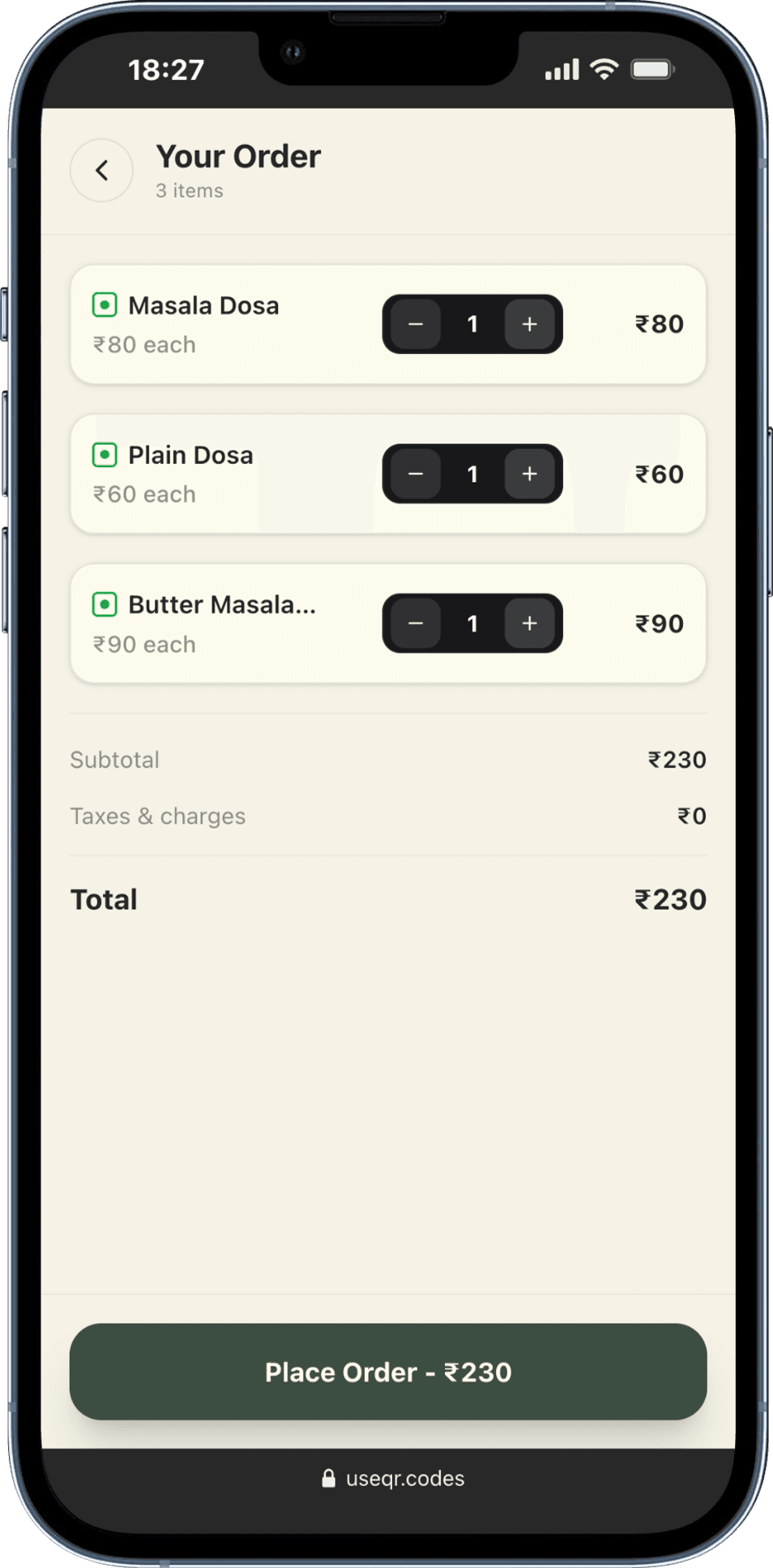
A strong contactless menu is not view-only. Guests add items, adjust quantities, and review a running total before paying—reducing order errors and freeing staff to focus on service instead of taking notes.
4. Direct UPI Payment Integration
In India, UPI is how most diners pay. Your digital menu should generate a payment-ready total and let guests pay with 0% platform commission— funds go straight to your linked UPI ID, not through a middleman taking 2–3% per transaction.
5. Real-Time Updates
Mark items sold out during the dinner rush. Run happy-hour pricing. Add a weekend-only "Chef's Special" section. Your printed QR code never changes; your live menu always reflects what is actually available.
6. Dietary & Allergen Filters
A one-tap Veg filter (and Veg / Non-Veg / Egg indicators on each dish) helps guests find what they want faster and reduces back-and-forth with servers—especially valuable in mixed-diet markets like India.
How Guests Discover Your Menu (Sharing & Previews)
Your menu QR code is not only for in-store tables. When someone shares your menu link on WhatsApp, Instagram, or Google Maps, they should see a professional preview—not a blank page. UseQR generates rich link previews with your store name, tagline, and logo so every share looks trustworthy before the first scan.
One Store, Every Menu: Manage Everything in One Place
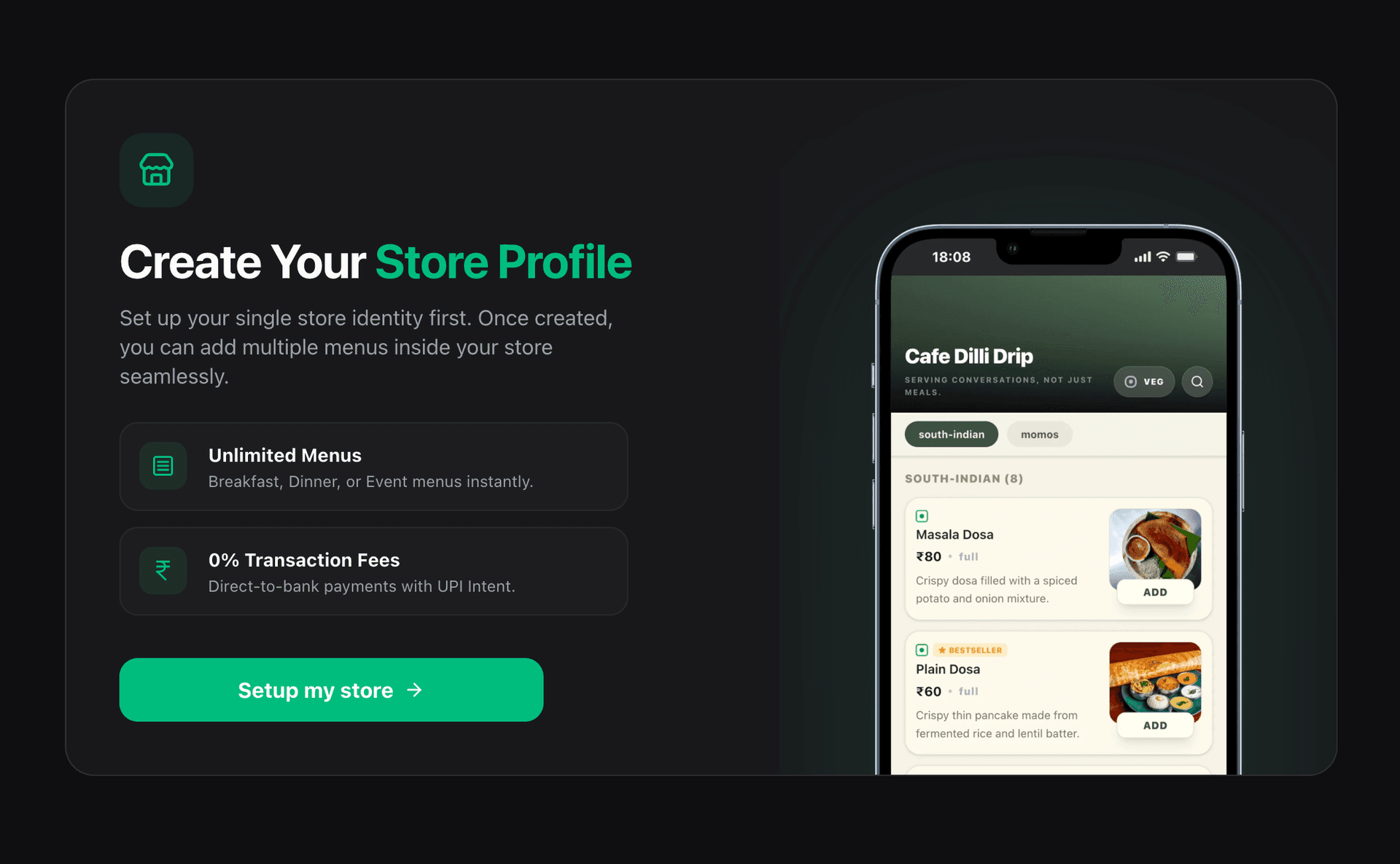
Before you create individual menu QR codes, UseQR helps you set up a single Store Profile—your restaurant's digital headquarters. Think of it as one account for your entire business: every menu, payment setting, and brand asset lives under that store, so you never juggle separate tools or logins for breakfast vs dinner vs event menus.
Once your store is open, you can:
- Add unlimited menus—weekday lunch, weekend brunch, festival specials, or catering menus
- Update every menu from one dashboard—change prices, photos, or sold-out status without touching printed QR codes
- Connect UPI once—the same payment ID applies across all menus under your store
- Keep branding consistent—logo, banner, and tagline appear on every guest-facing menu scan
New users start with a guided store setup: name your business, add a tagline, link your UPI for direct payments, and you are ready to build menus inside that store. No per-menu billing surprises—just one place to run your full food operation.
How to Create a Menu QR Code: Step-by-Step Guide
You can launch a free menu QR code on UseQR in under 10 minutes. Here is the exact workflow after your store is set up:
Step 1: Create Your Store Profile
Sign up and complete store onboarding: restaurant name, tagline, logo, and banner. This identity powers every menu you create underneath it—the same branded header guests see when they scan, like "Cafe Dilli Drip" in the screenshots above. From your store dashboard, tap Create New Menu whenever you need another list (e.g. a drinks-only menu or a holiday special).
Step 2: Connect Your UPI ID
Add your UPI VPA (e.g. yourname@ybl). Payments from the digital menu flow directly to your account with no UseQR commission on UPI transactions.
Step 3: Build Your Menu
- AI-powered (fastest): Upload a photo of your printed menu; AI extracts items and prices.
- Manual: Add dishes one by one with names, prices, categories, photos, and Veg/Non-Veg labels.
Step 4: Customize Appearance
Pick a theme, upload dish photos, mark bestsellers, and organize categories (Starters, Mains, Beverages, etc.). Dishes with photos consistently outperform text-only listings.
Step 5: Create & Download Your QR Code
Generate a custom branded QR code with your logo and colors. Export a high-resolution PNG for print—table tents, menu inserts, window decals, and packaging.
Step 6: Print, Place, and Promote
Deploy codes where guests naturally look: every table, the entrance, the counter, and receipts. Always pair the code with a short CTA: "Scan to View Menu" or "Scan to Order."
| Placement | Minimum Size | Best Practice |
|---|---|---|
| Table tent / stand | 3 × 3 in (7.5 cm) | Visible from every seat; include CTA text |
| Wall poster / entrance | 6 × 6 in (15 cm) | Eye level; works for walk-ins waiting to be seated |
| Window sticker | 4 × 4 in (10 cm) | High contrast; catches street traffic |
| Receipt / packaging | 1.5 × 1.5 in (4 cm) | Link to reviews, loyalty, or reorder menu |
Best Practices for Menu QR Codes
Optimize for Speed
Target under 2 seconds to first meaningful paint. Compress dish images, use a reliable host, and test on both iPhone and Android on your restaurant Wi‑Fi—not just office broadband.
Invest in Food Photography
As shown in the menu screenshots above, high-quality dish photos drive orders. You do not need a studio—well-lit smartphone shots of your top sellers are enough to start.
Organize Categories Like a Guest Thinks
Starters → Mains → Sides → Desserts → Beverages. Keep category names short. Limit to roughly 7–10 top-level categories for scanability on small screens.
Write Short, Descriptive Copy
One or two lines per dish: key ingredients, spice level, portion size. Guests scroll fast—dense paragraphs get skipped.
Update Live, Every Service
The advantage of a dynamic QR menu is only real if you use it. Sold out at 9 PM? Toggle it off before the next order. New seasonal dish? Add it before lunch service.
Close the Loop with Reviews
Add your Google Review URL in store settings. A satisfied guest who just paid via QR is the best moment to ask for a rating—boosting local SEO and foot traffic.
Menu QR Codes by Business Type
Fine Dining
Use an elegant theme; supplement (do not replace) physical menus. Add wine notes and chef stories in descriptions.
Quick-Service & Fast Casual
Prioritize speed: large photos, simple categories, cart-first flow. Reduce counter queues by letting guests order while waiting.
Cafes & Coffee Shops
Highlight seasonal drinks and pastries. Warm themes and queue-friendly ordering work especially well during morning peaks.
Bars & Pubs
Run separate menus for food, drinks, and happy hour. Use time-based rules to auto-switch pricing during promotional windows.
Food Trucks & Pop-ups
Change daily specials without reprinting. Large exterior QR codes let guests browse and decide while in line.
Cloud Kitchens
Print QR codes on packaging for reorders and feedback. Pair with a dedicated delivery menu separate from dine-in if pricing differs.
Advanced Features Worth Using Next
- Multiple menus: Breakfast, lunch, dinner, or event menus from one store
- Scan analytics: Peak hours, campaign tracking, table-level insights
- Geo-locked access: Limit menu viewing to on-premise guests
- Social links: Instagram, YouTube, and Google Review in one profile
Common Mistakes to Avoid
- QR too small: Minimum ~2.5 cm × 2.5 cm for reliable scans
- Low contrast: Dark code on light background; avoid busy artwork behind the code
- No CTA text: Always label the code ("Scan for Menu")
- Stale menu data: Sold-out items still showing frustrate guests instantly
- No phone testing: Test on real devices under your venue lighting
- Text-only menu: Add photos to at least your top 10 dishes
Frequently Asked Questions
How much does a menu QR code cost?
Smart Menus are free to start on UseQR. Premium plans add advanced analytics and branding options. UPI payments incur 0% UseQR commission—money goes to your bank via your UPI ID.
Do customers need an app?
No. iPhone and Android camera apps scan QR codes natively. Guests open your menu in the browser—no download required.
Can I change the menu after printing?
Yes. Dynamic QR codes keep the same printed pattern while you update dishes, prices, and photos anytime from your dashboard.
Multiple locations?
Create a separate store per location, each with its own menus, branding, and QR codes—ideal for franchises.
Is my menu secure?
Geo-locking restricts access to on-site guests. Viewing your public menu does not expose your admin dashboard or editable data.
Ready to Digitize Your Menu?
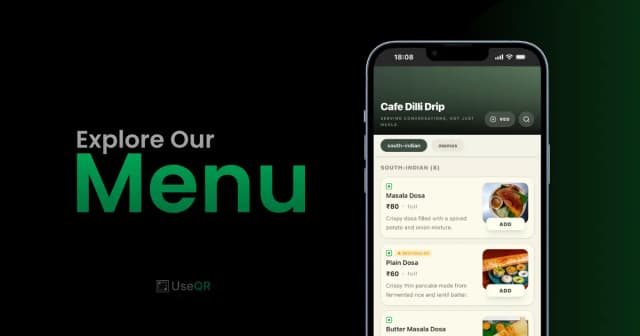
Create a Smart Menu like the ones shown above—branded, photo-rich, and UPI-ready—in minutes with UseQR.
No credit card required · Unlimited menu updates · 0% UPI fees
Conclusion
A menu QR code is no longer optional for competitive food businesses. It cuts print costs, speeds up service, showcases your dishes with photos guests can actually see, and accepts payment on the same screen they ordered from.
The screenshots in this guide are not mockups—they reflect what UseQR delivers today. Start with a free Smart Menu, print your QR once, and keep your menu live forever.